Understanding IPTV: What You Need to Know
Defining IPTV and its Benefits
Internet Protocol Television (IPTV) is a modern method of delivering television content through the internet rather than traditional satellite or cable systems. With the rise of digital streaming, IPTV has gained immense popularity for its ability to provide a wider range of content and flexible viewing options. Users can watch live TV, and on-demand content, and even access a vast array of international channels, making it an appealing choice for many.
The benefits of IPTV extend beyond just convenience. For starters, it often offers better picture and sound quality, with many services providing 4K streaming options. Additionally, IPTV services typically allow users to watch shows on multiple devices, including smartphones, tablets, smart TVs, and set-top boxes, making it easier to enjoy content wherever they are. Furthermore, many IPTV platforms offer customizable channel packages, allowing subscribers to select only the channels they are interested in, potentially saving money compared to traditional cable subscriptions.
How IPTV Works: A Technical Overview
IPTV functions by delivering video content using internet protocol technology. Instead of broadcasting over the traditional airwaves, IPTV transmits data packets via the internet, which means that subscribers need a stable internet connection to stream content effectively. When users request a channel or an on-demand video, their request is sent to an IPTV server that processes the request and delivers the content to the user’s device in real time.
One significant aspect of IPTV is its reliance on a content delivery network (CDN). This network hosts multiple servers and locations, allowing for improved delivery speed and quality. By using various streaming protocols, such as HTTP Live Streaming (HLS) or Real-Time Streaming Protocol (RTSP), IPTV provides adaptive bitrate streaming, ensuring a smooth viewing experience even with fluctuating internet speeds.
Key Terms You Should Understand
To fully grasp the world of IPTV, it’s essential to familiarize yourself with some key terms:
- Set-Top Box (STB): A device that connects to your television and receives IPTV signals from the internet.
- Middleware: Software that enables the interaction between the user interface and the server, facilitating channel selection and VoD (Video on Demand) access.
- Catch-Up TV: A feature allowing viewers to watch programs they may have missed on a particular channel within a specified time frame.
- VOD (Video on Demand): A service that allows users to select and watch video content whenever they choose.
- EPG (Electronic Program Guide): A digital guide that displays schedules and available programming for users.
Exploring the Content Options on https://bosstv.ca
Types of Channels Available
One of the most appealing aspects of IPTV services like https://bosstv.ca is the extensive variety of channels available. Users can access local, national, and international channels spanning multiple genres, including news, sports, entertainment, and educational programming. This wide selection allows users to customize their viewing experience according to their preferences.
Moreover, many IPTV providers offer specialized channels focused on niche content, such as cooking, travel, or children’s entertainment. Such customization makes it easy for subscribers to gather all their desired programming in one place without needing multiple subscriptions to different media services.
Supported Devices and Compatibility
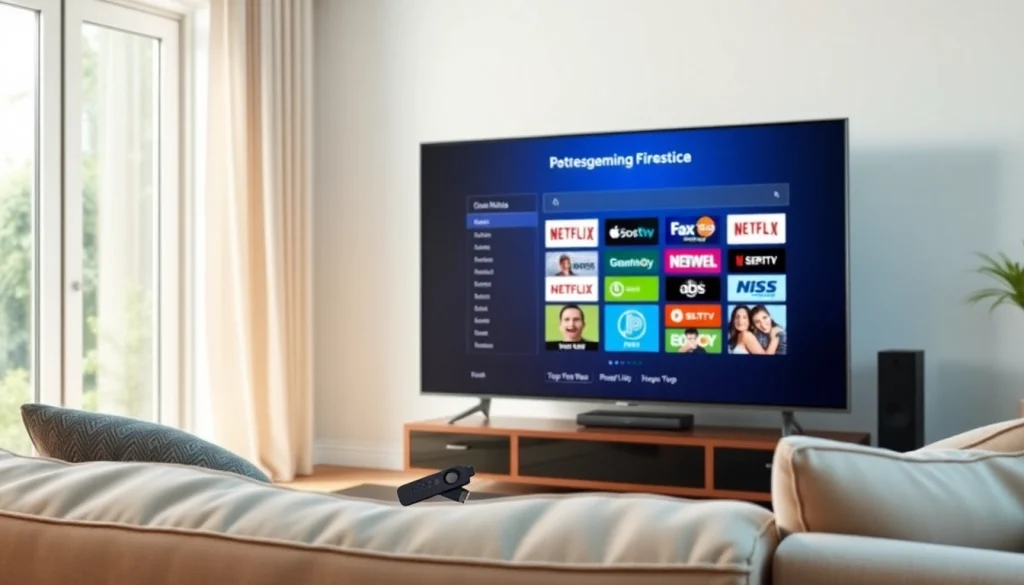
For IPTV to function optimally, it’s essential to have compatible devices. Many IPTV providers ensure that their services can be accessed across various platforms, including smart TVs, smartphones, tablets, and even gaming consoles. This ensures that users can enjoy their favorite shows and channels seamlessly, regardless of the device they choose. https://bosstv.ca supports numerous devices, including popular options like Firestick, Android TV, and Apple devices, allowing viewers the freedom to choose their preferred method of viewing.
In addition, many IPTV services now offer a downloadable app that can be installed on various devices, making it even more convenient for users to access their subscriptions on the go.
Exclusive Content: Movies, Series, and Sports
Many IPTV services have recognized the demand for exclusive content, partnering with various networks to provide movies, series, and live sports content that isn’t typically available on regular television. With the rise of on-demand viewing, content providers have embraced the opportunity to create original programming that keeps viewers engaged.
Additionally, sports fanatics can benefit from the extensive live sports coverage offered through IPTV. Many providers broadcast numerous sporting events across different leagues and sports, offering viewers the chance to watch their favorite teams without geographical restrictions. This capability allows sports lovers to enjoy their passions while gaining access to transformative viewing options previously unavailable.
Setting Up Your IPTV Service
Step-by-Step Installation Guide
Setting up an IPTV service may seem daunting for beginners, but the process is generally straightforward. Here’s a step-by-step guide to help you get started:
- Choose Your IPTV Provider: Research various IPTV providers, comparing packages, channels, and features to find one that meets your requirements.
- Register for a Subscription: Sign up for a plan that suits your viewing preferences. Most providers require instructions to create an account and payment information.
- Download the App: If your provider has an app, download it from the appropriate app store. For devices without app installation (e.g., STBs), obtain the necessary setup files based on device requirements.
- Install the App or Software: If you’re using a smart TV or mobile device, install the application and input your login credentials. For STBs, follow the manufacturer’s instructions to set up the device.
- Configure Settings: Once installed, configure network settings and adjust any other settings necessary to optimize your viewing experience.
- Enjoy Streaming: Begin browsing the channel lineup and enjoy your new IPTV service!
Troubleshooting Common Setup Issues
Even with a simplified installation process, users may encounter issues during setup. Here are some common problems and their solutions:
- Buffering Issues: Ensure a stable internet connection. If you are experiencing constant buffering, consider upgrading your internet plan or troubleshooting your router.
- App Crashing: If the application crashes or fails to load, check for updates or reinstall the app to resolve potential bugs.
- No Channels Found: Confirm that you have an active subscription and that you entered your login credentials correctly. If the issue persists, contact the customer service support team for assistance.
- Audio/Video Sync Problems: Adjust audio settings in the application or your device settings to correct any disparities between sound and video.
Configuring Your Devices for Optimal Streaming
To maximize your IPTV experience, it’s essential to configure your devices correctly. Here are some best practices to ensure smooth streaming:
- Use Wired Connections: If possible, connect your streaming device to the internet using an Ethernet cable for a more stable connection.
- Close Background Applications: Close unused apps on your device to free up system resources, which can improve streaming performance.
- Regularly Update Software: Keep your device’s operating system and apps updated to benefit from performance enhancements and security patches.
Comparing IPTV Services: Why Choose https://bosstv.ca?
Service Features That Stand Out
When selecting an IPTV service provider, it’s essential to consider the features they offer. With services like https://bosstv.ca, subscribers can rely on unique features such as:
- Comprehensive Channel Lineup: Enjoy a wide selection of local and international channels, ensuring there’s something for everyone.
- Multi-Device Support: Watch your favorite shows effortlessly on multiple devices, allowing for flexible viewing.
- Customizable Packages: Tailor your subscription to meet your specific viewing preferences by selecting only the channels you want.
- Advanced Streaming Options: Benefit from high-definition and 4K content for an unparalleled viewing experience.
Customer Support and Resources
Reliable customer support can significantly enhance the overall user experience. IPTV services, such as https://bosstv.ca, provide various avenues for support, including:
- Knowledge Base: Access to guides and tutorials to help users troubleshoot common issues independently.
- Live Chat and Email Support: Quick response times for customer queries, ensuring assistance is readily available.
- Community Forums: Engage with fellow users to share tips and solutions for common challenges.
User Reviews and Testimonials
User reviews and testimonials can offer insights into the reliability and satisfaction of a service. It’s worth checking out opinions from other users regarding their experiences with features, performance, and customer support. Positive feedback can provide reassurance when considering a new IPTV service and help identify its strengths and weaknesses.
Staying Secure While Streaming
Understanding Privacy and Security Risks
While IPTV provides an accessible way to enjoy a wide array of content, it also comes with its own set of privacy and security concerns. With any internet-based service, there is always a risk of data breaches or unauthorized access to personal information. Additionally, because IPTV often involves streaming copyrighted material, users must be cautious to avoid exposure to legal issues.
Best Practices for Safe Streaming
To mitigate potential risks, consider following these best practices for safer streaming:
- Use Strong Passwords: Create unique and complex passwords for your IPTV account to enhance security.
- Regularly Check Privacy Settings: Adjust privacy settings on your devices and account to manage data sharing preferences.
- Monitor Data Usage: Track your data consumption to identify any unusual spikes that might indicate unauthorized access.
Using VPNs with Your IPTV Service
Using a Virtual Private Network (VPN) can provide an additional layer of security and privacy for IPTV users. A VPN encrypts your internet connection, making it difficult for third parties to track your online activities. Furthermore, a VPN can help bypass geographical restrictions, allowing access to content that may not be available in certain regions.
When selecting a VPN, choose a reliable service that provides fast speeds, robust security features, and a no-logs policy. This way, you can enjoy a secure and unrestricted IPTV experience without compromising your privacy or access to content.